- Application/component: JetBrains TeamCity
- Affected version: < 2024.12
- Score (CVSS 3.1): 6.5 Medium
- Vector: CVSS:3.1/AV:N/AC:L/PR:L/UI:N/S:U/C:H/I:N/A:N
- CWEs:CWE-312: Cleartext Storage of Sensitive Information
- CWE-212: Improper Removal of Sensitive Information Before Storage or Transfer
CVE: CVE-2024-56353
During a more detailed analysis of JetBrains TeamCity, I identified a vulnerability.
Description
TeamCity supports creating backups. To create backups, a user requires the
Change backup settings and control backup process permission. By default, the backup file
is stored in /backup, but this can be configured in
backup-config.xml.
The database file appears to contain a complete database dump, including user password hashes and “Remember Me” cookies. These “Remember Me” cookies can be used to sign in as other users if those users use the “Remember Me” feature.
The hashes, meanwhile, are exposed to an offline brute-force attack. Whether they can be cracked in a reasonable amount of time depends solely on the complexity of the password.
PoC: Account takeover using “Remember Me”
Sign in to TeamCity as a non-admin user. The user has the Change backup settings and control backup process permission. Then
create a backup with the Backup scope set to “Basic”:
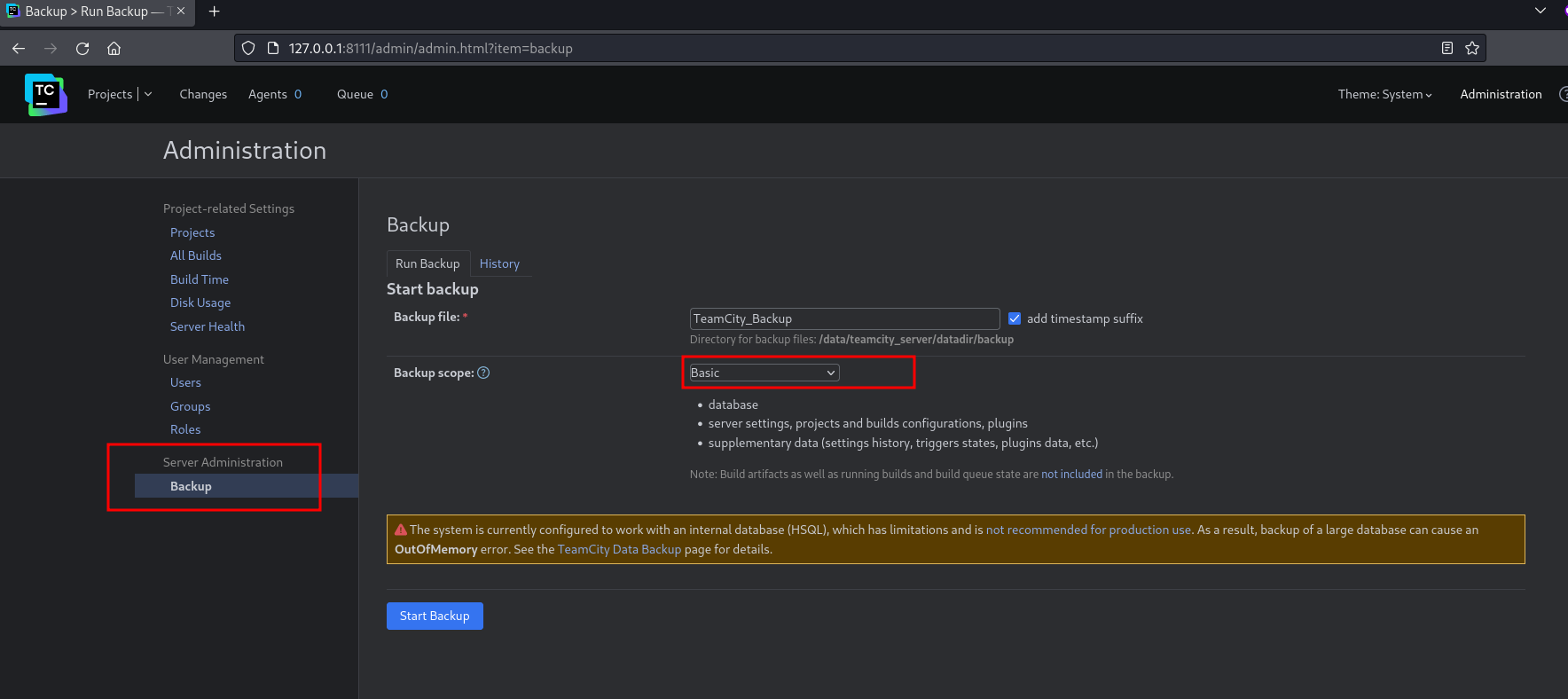
The backup file can then be downloaded, for example, from the “History” tab.
After opening and, if necessary, extracting the ZIP file, locate the database_dump folder. It contains the
remember_me file:
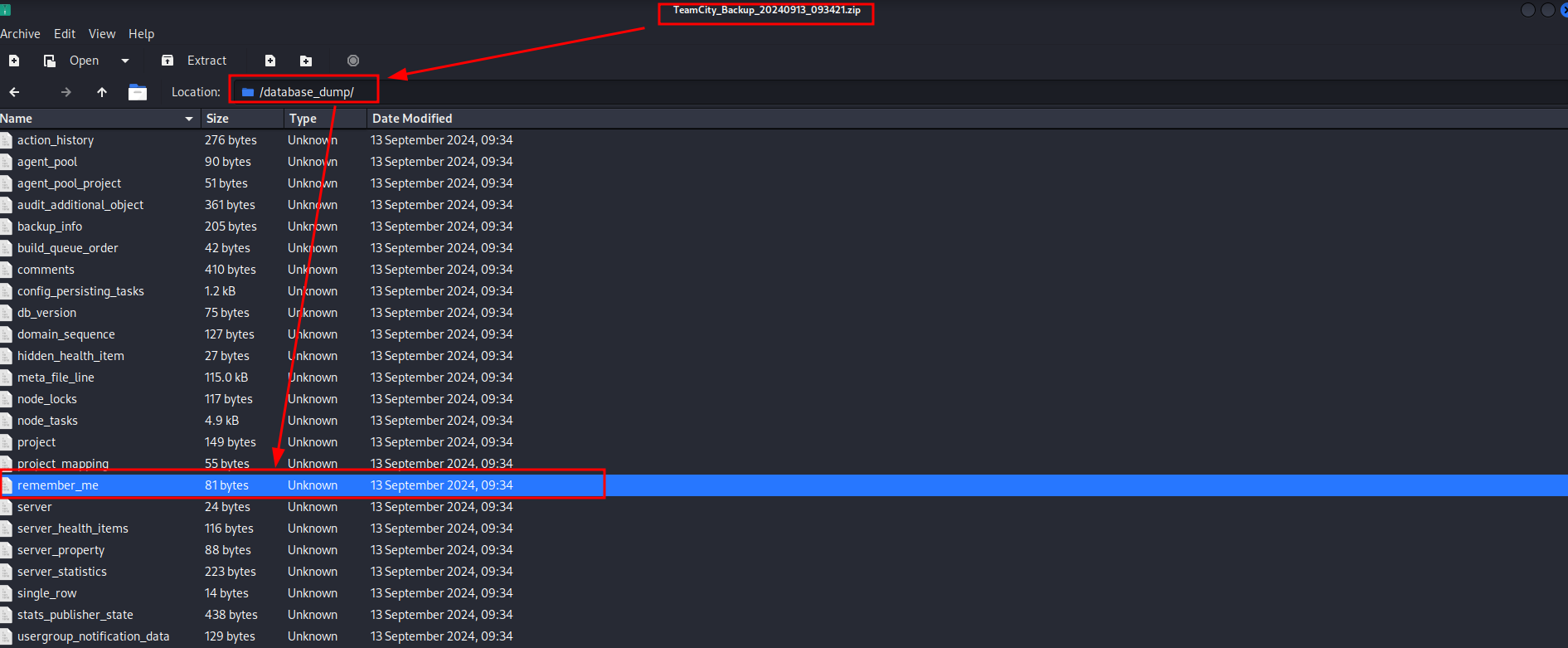
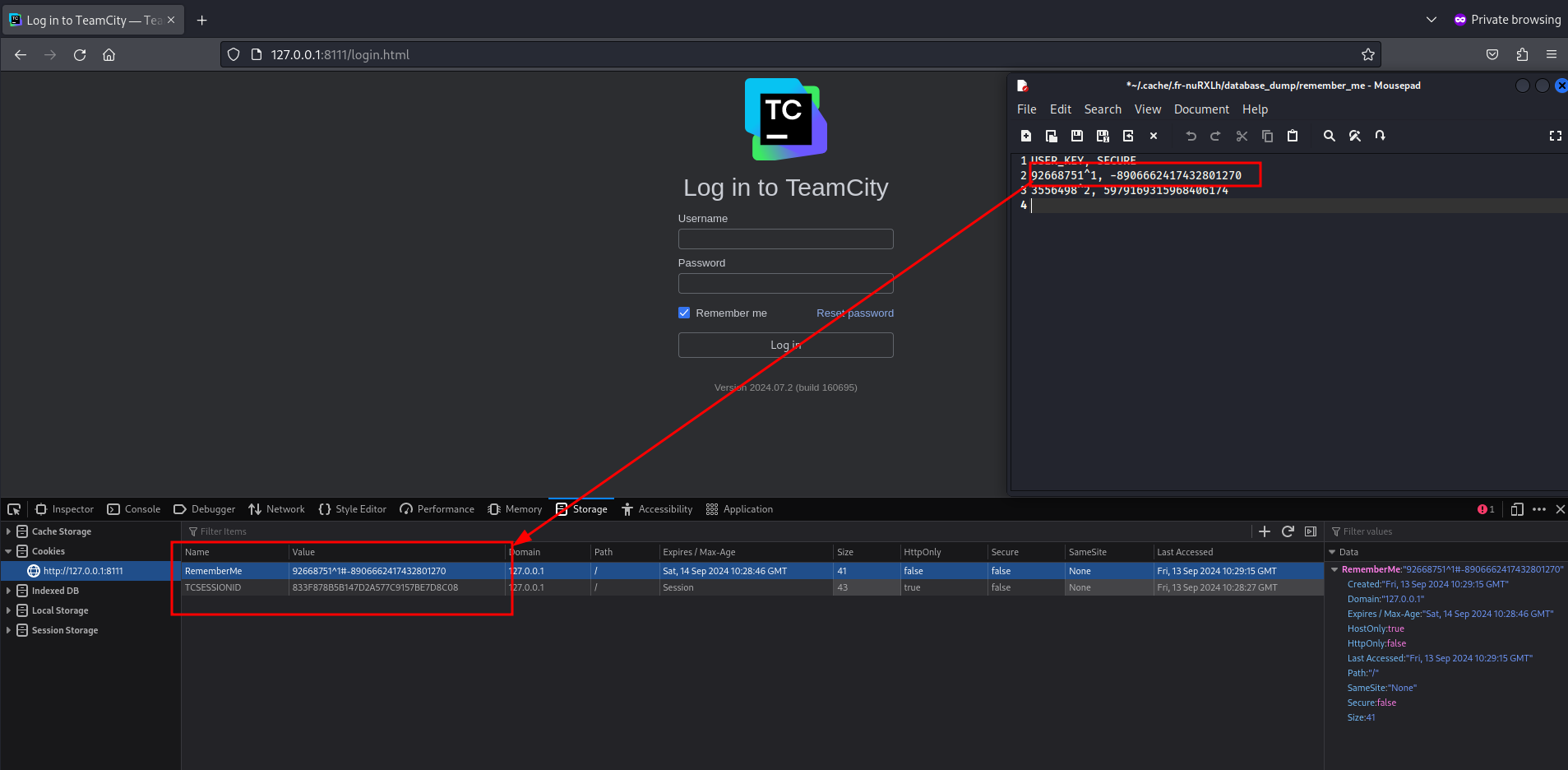
The RememberMe cookie is a composite value made up of the USER_KEY and SECURE table columns. It is stored as the following cookie
in the browser:
#
If a cookie named RememberMe is created with the value #, the browser signs in as the user
associated with that value.
PoC: Accessing hashed user passwords
The same database dump contains a file named user:
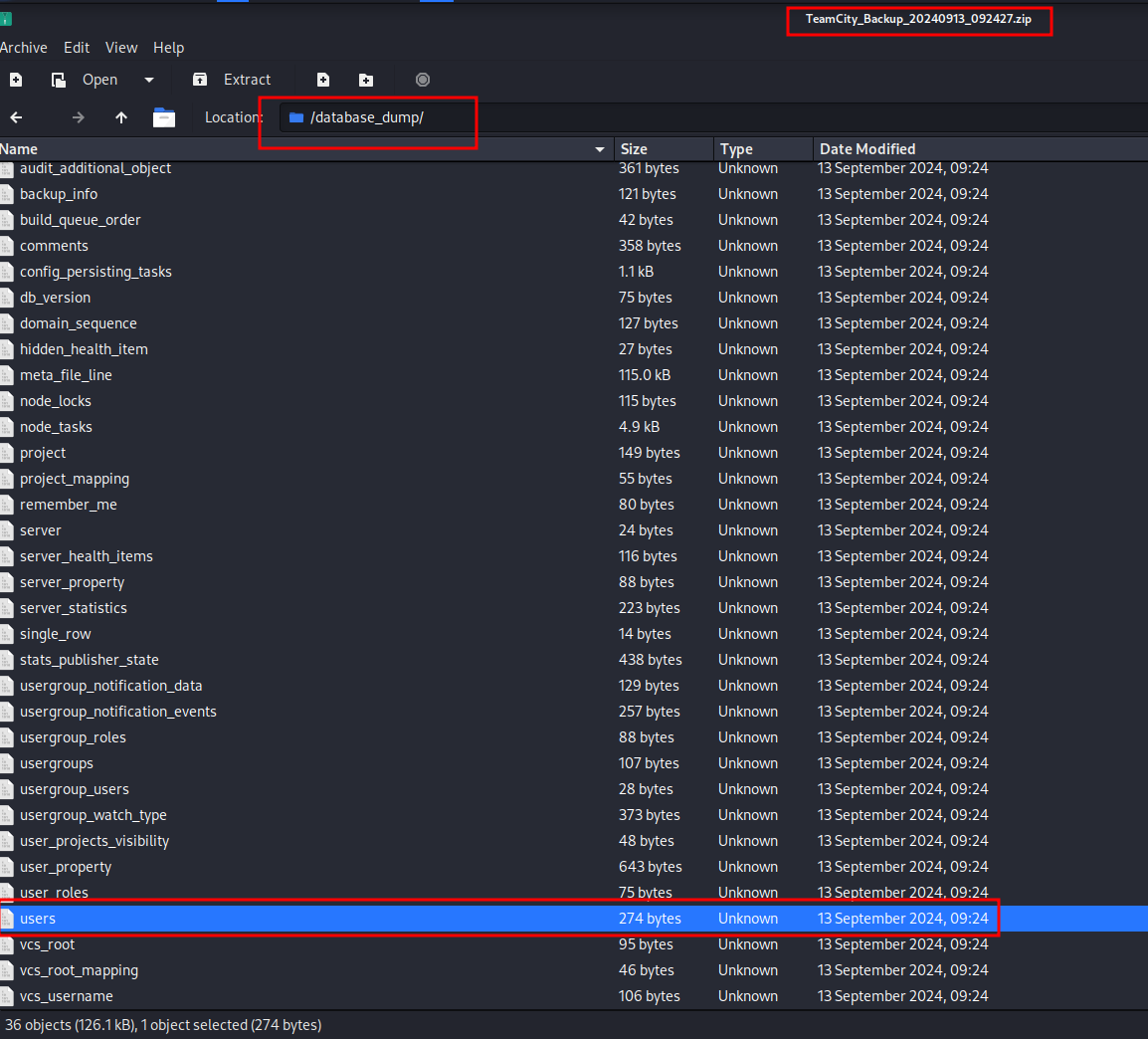
This file contains the users’ password hashes:
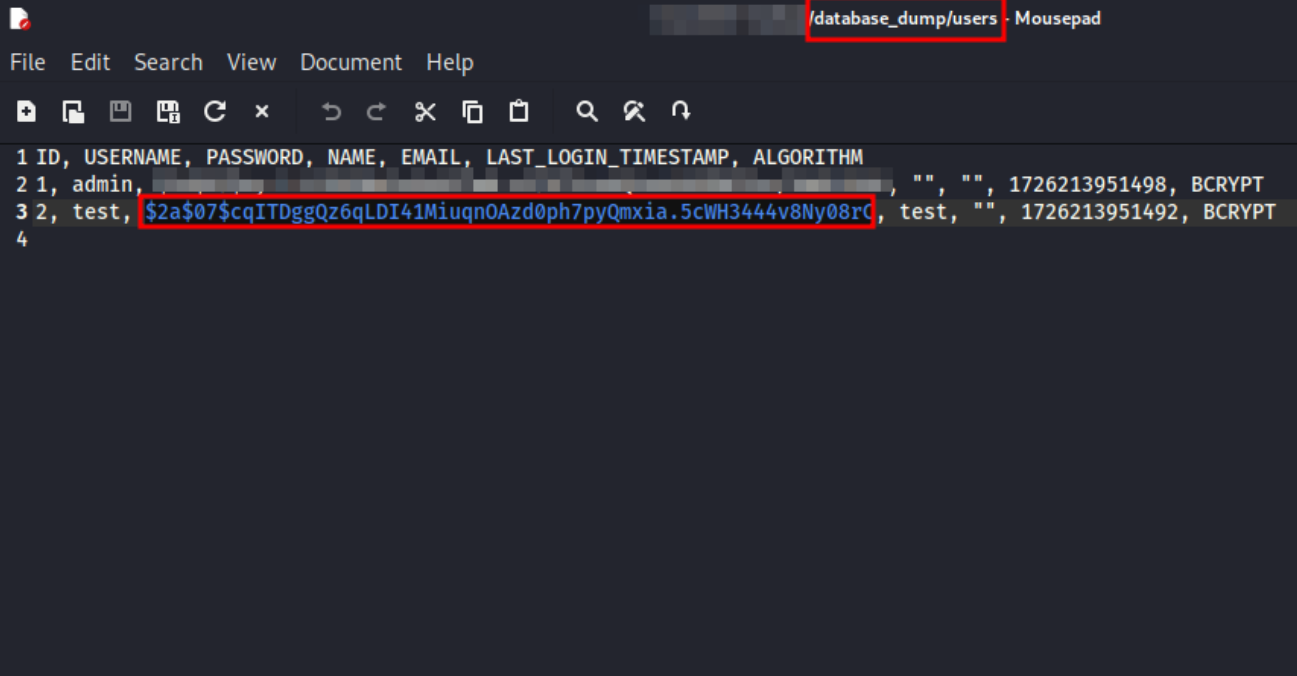
These can then be cracked using tools such as Hashcat or JtH if the password complexity is low enough. If the password is cracked, it can be used to sign in as the user.
Lessons Learned
For every export function, it is important to verify which data is exported and whether that data actually needs to be exported—especially in backup files.
For example, exporting cookies is not necessary for a backup. If a backup needs to be restored, the worst-case consequence is that the user must sign in again.
If sensitive data is exported—and user data certainly qualifies, particularly if additional sensitive data such as email addresses is included—the backup file should be encrypted symmetrically with an application key. Only the application should know this key, ensuring that no other user, including an application administrator, can open the file.
There is no reason for a user to be able to inspect database dumps. Doing so is equivalent to having read-only access to the affected database. Database administrators exist to handle such access.
Note
All tests were performed on my own local instance (using Docker) and with test user data that I created myself.
JetBrains responded quickly, constructively, and professionally.
Timeline
- Reported to JetBrains on September 13, 2024
- Response received on September 13, 2024
- Issue fixed and retested on October 29, 2024
- Testing concluded on November 19, 2024
- Patch released on December 5, 2024
- CVE entry published as CVE-2024-56353 on December 20, 2024
- Blog post released on May 12, 2025